

 4.7
4.7
How to Connect and Disconnect Remote Fob of EV Rider TeQno Scooter Step by Step

Update. EV Rider has discontinued the TeQno, so we can no longer supply it. The pairing steps below still apply to your scooter and we have left them in place. If you are shopping for a replacement, the Forcemech Pathmate is the folding travel scooter we recommend now.
Hello and welcome to your simple, user-friendly guide! Whether you're a seasoned pro with tech gadgets or approaching this as a total beginner, we've got you covered. We understand that even the smallest tasks can sometimes become confusing, especially when you're dealing with something as important as your mobility and independence.
Today, we're focusing on your EV Rider TeQno key fob, a small but mighty component of your scooter experience. From replacing a battery to troubleshooting common issues, we're here to ensure each step is as smooth as possible.
The scooter in this guide
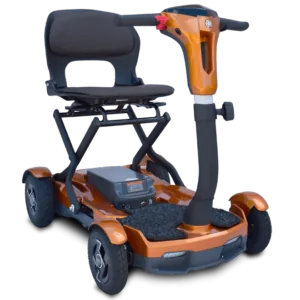
This fob guide is built around the EV Rider TeQno auto folding travel scooter.
- Featured
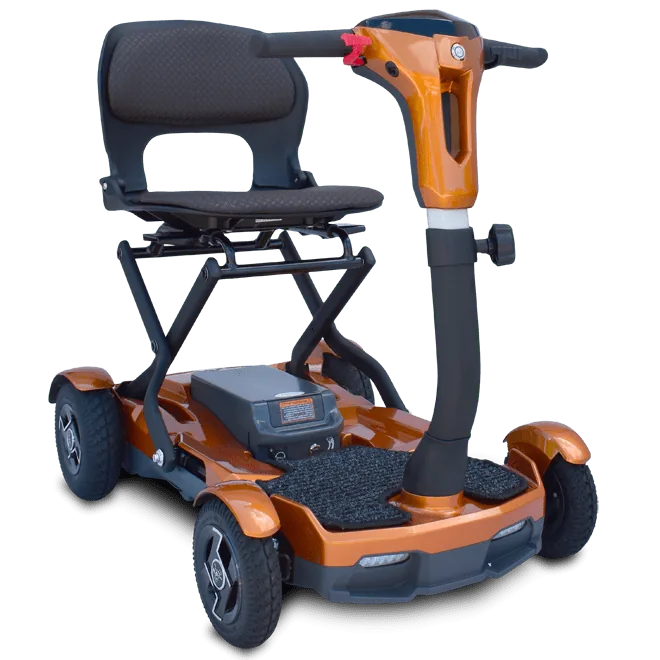 EV Rider TeQno Auto Folding Travel Scooter
A portable heavy duty travel scooter that powers on and auto folds from its remote key fob for quick storage and travel.
$2,850View the EV Rider TeQno
Why This Guide Matters
The remote key fob on the EV Rider TeQno is not just a convenience feature, it plays an important role in how you use and control your scooter daily. From powering the scooter on and off to activating its auto-folding function, a properly paired remote ensures everything works smoothly. If your remote becomes unpaired or stops responding, it can interrupt your routine or make travel more difficult.
This guide is designed to help you quickly reconnect or disconnect your fob so you can get back to using your scooter without frustration. If you are still exploring this model, you can also view the EV Rider TeQno product page to better understand how the remote system fits into its overall design and features.
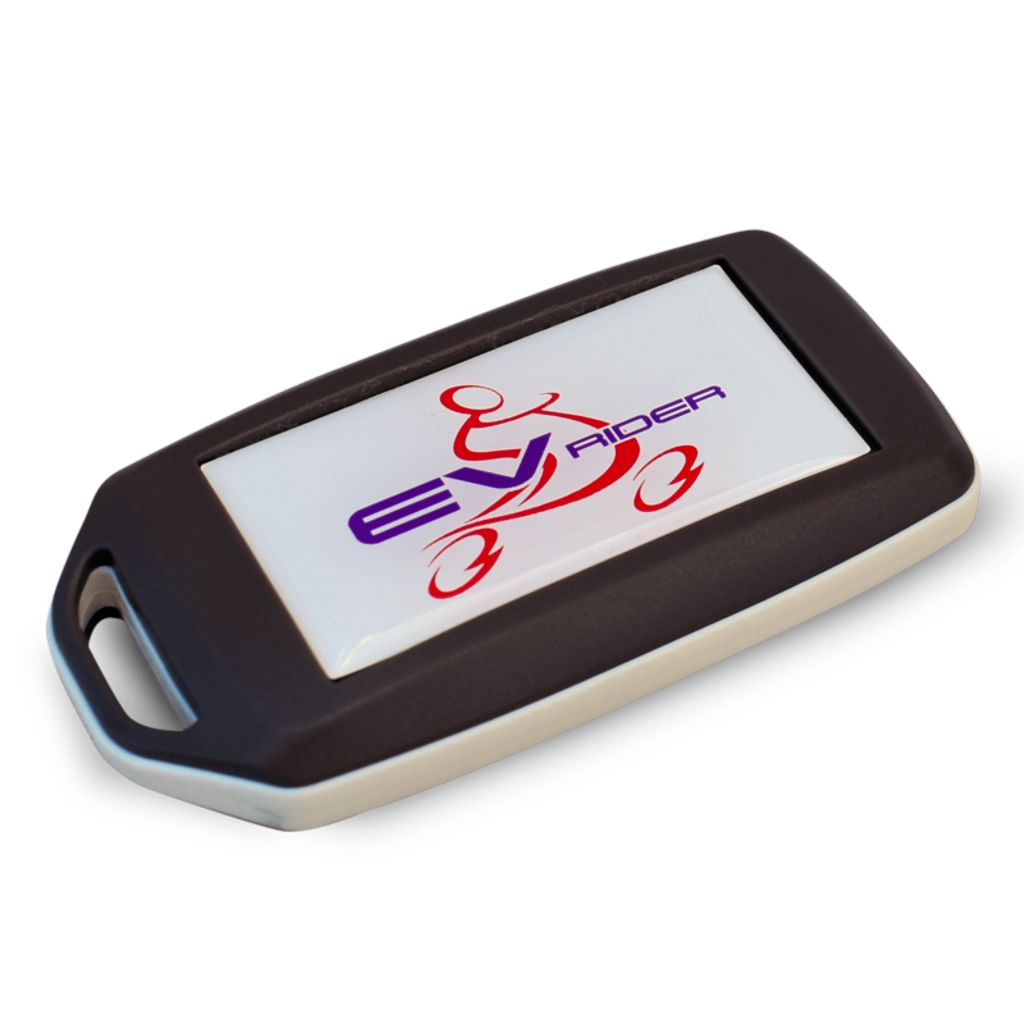
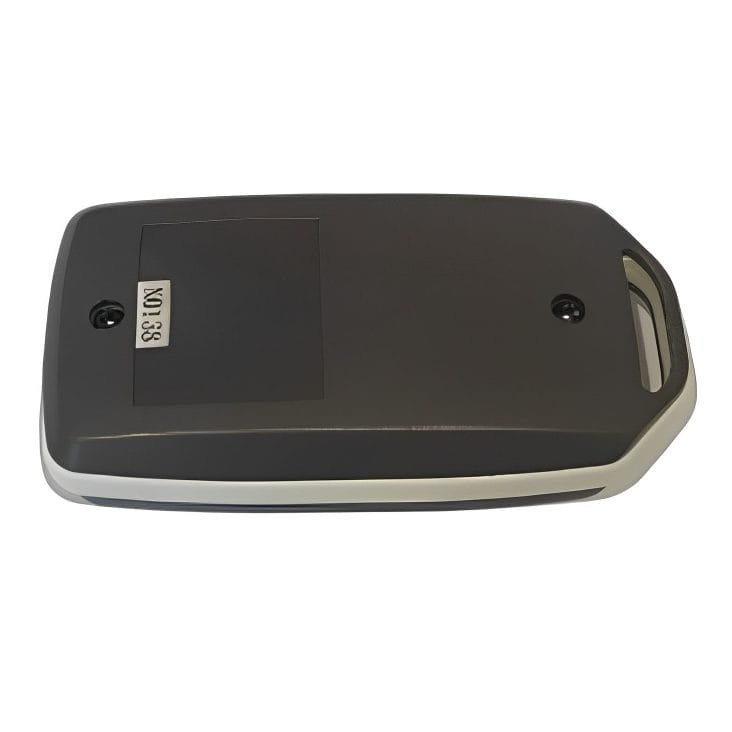
You can also follow along with our easy step-by-step video:
The process of connecting and disconnecting (or pairing and unpairing) a remote key fob with your EV Rider TeQno scooter involves a series of specific steps. This guide breaks down these procedures into detailed steps, helping ensure that you can comfortably manage the connectivity of your device.
Unpairing or Disconnecting the Remote Fob
Verify Current Connection
- Start by ensuring your scooter is currently paired with the remote fob. Press the power button on the remote. If the scooter turns on, it's paired.
Move Out of Range
- Take the remote fob out of the scooter's Bluetooth range. Typically, Bluetooth range can extend up to 33 feet (10 meters), but try at least a few feet away to start with.
Initiate Unpairing Mode
- While the fob is out of range, turn on the scooter's power.
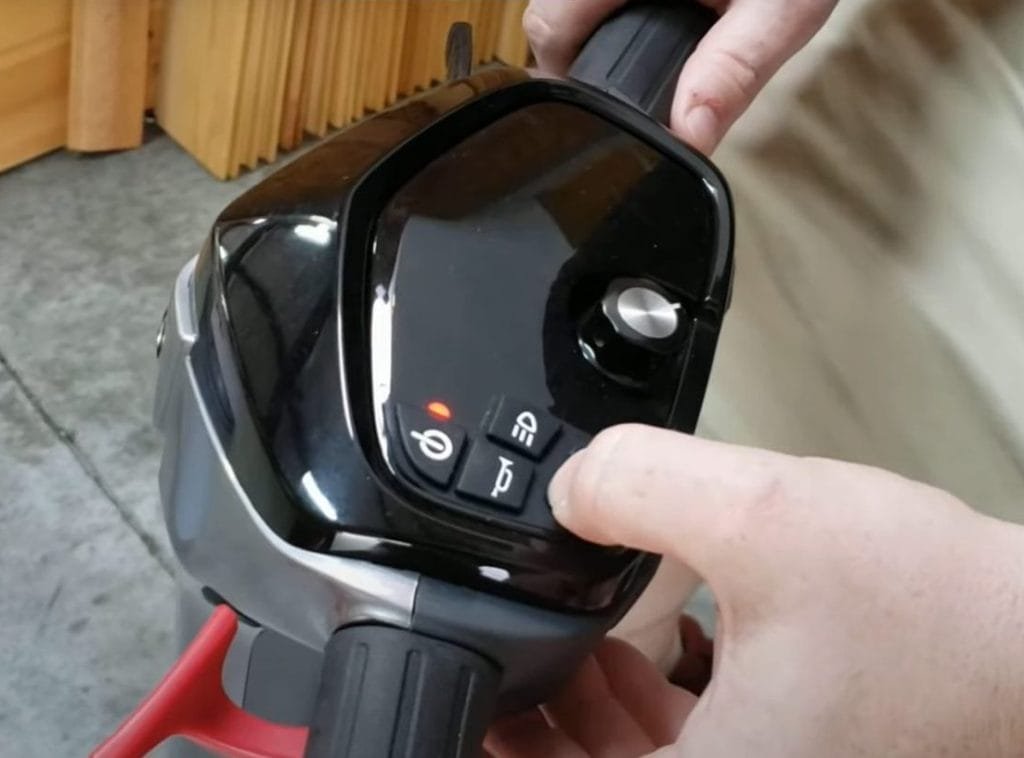
- Press and hold the 'Mode' button on the scooter's control panel. Keep an eye on the dashboard. You need to wait until the headlight symbol turns off, indicating that the remote fob is unpaired.

Test the Connection
- To ensure the unpairing process was successful, bring the remote fob back within the scooter's range.
- Press the power button on the remote. If the scooter remains off, the fob has been successfully unpaired.
Pairing or Connecting the Remote Fob
Prepare for Pairing
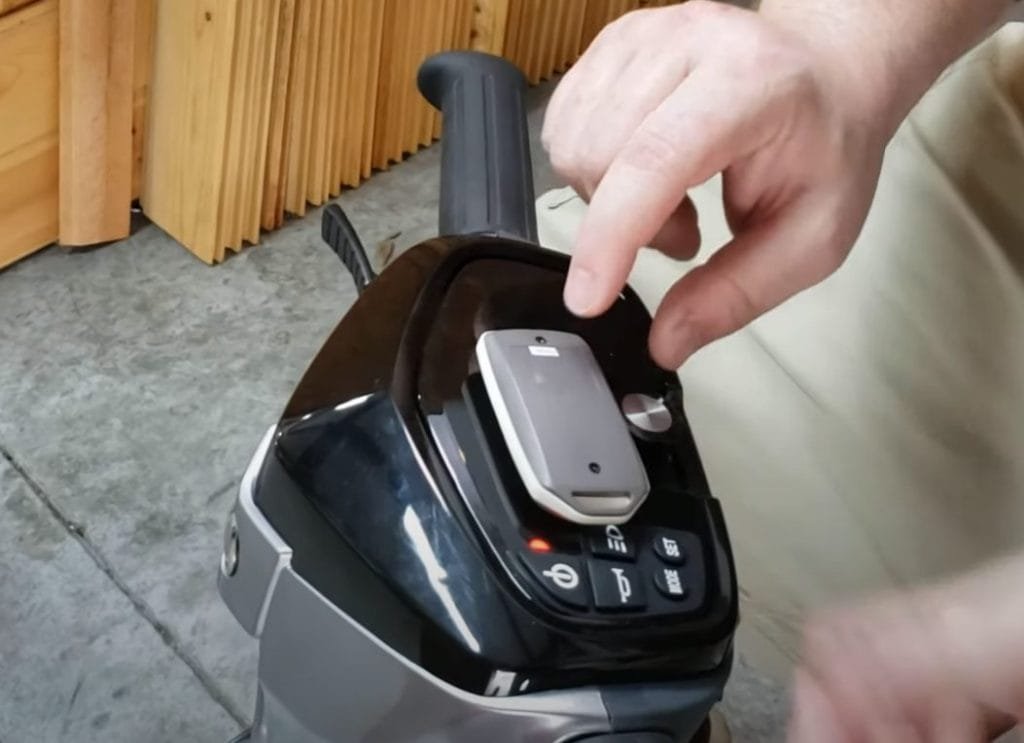
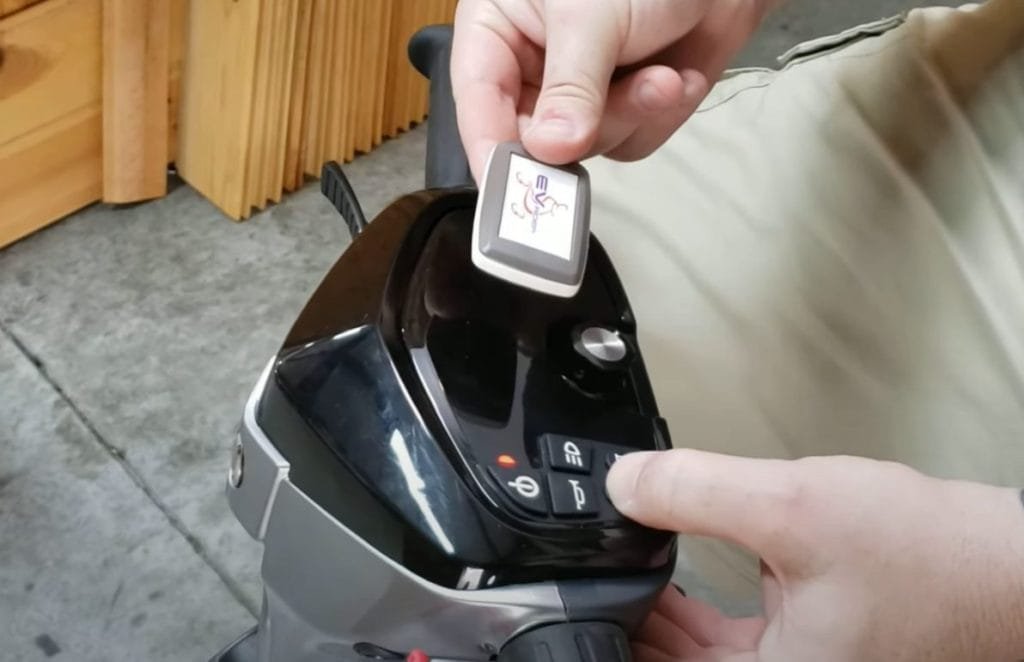
With the scooter off, place the remote fob close to the scooter. Proximity helps the devices communicate more effectively, as shown in the image.
Initiate Pairing Mode
- Turn on the scooter's power.
- Press the 'Mode' button to activate the scooter's pairing functionality. The headlight will turn on, signaling that you've entered pairing mode.
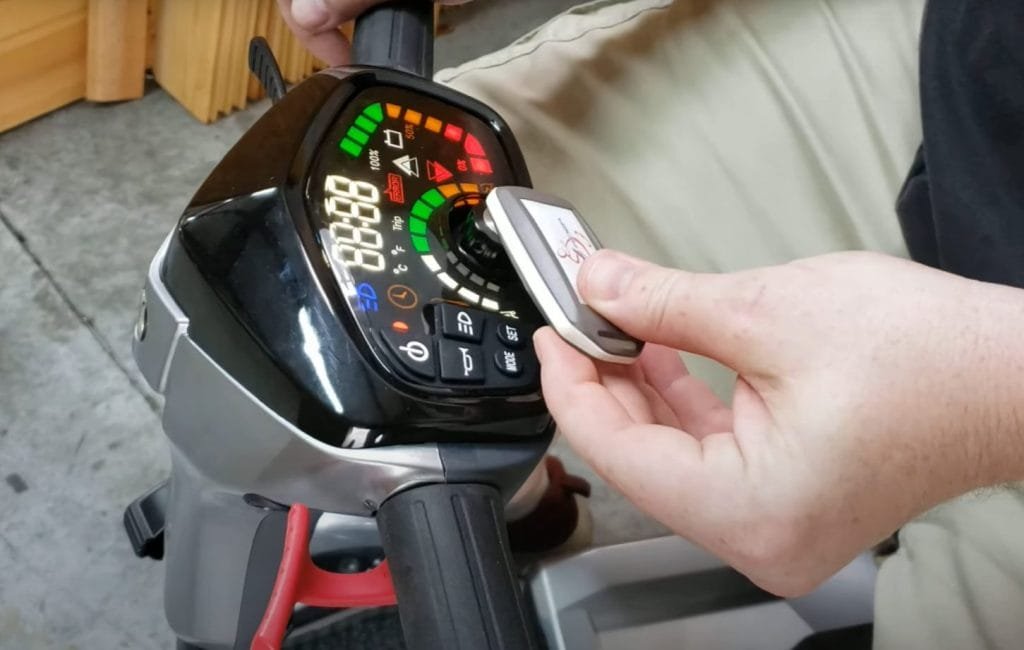
Complete the Pairing Process
- Keep the remote fob near the scooter during this step, as shown in the image below. The devices will communicate with each other, establishing a new connection.
Confirm Successful Pairing
- Test the new connection by pressing the power button on the remote fob. If the scooter powers on, the pairing process was successful.
Remote Fob Care
Replace the fob's batteries at regular intervals or when you notice a decreased range. Avoid exposing the remote fob to water, extreme temperatures, and direct sunlight.
There's no need to worry if your key fob battery needs a replacement. It's a piece of cake, and you've totally got this! Let's break it down into simple steps, and you'll see how easy it can be. Changing the battery of your EV Rider TeQno key fob is a straightforward process. Here's an easy, step-by-step guide to help you through it, ensuring you can continue to use your scooter without interruption. Let's navigate this minor detour and get you back on the path to uninterrupted exploration. Your journey awaits, and this tiny recharge is just a quick pause in the grand adventure of life.
Buyer Tip on Whether the TeQno Is Right for You
The EV Rider TeQno is one of the most popular choices for users who want a scooter that is both portable and easy to use. Its automatic folding feature and remote control system make it especially helpful for people who travel often or need a scooter that can be stored quickly.
If you are comparing options, you may also want to explore our auto-folding mobility scooters collection. These models are designed for convenience and minimal physical effort, especially when folding and transporting the scooter.
For a deeper understanding of how folding scooters work and how they compare, you can also read our comprehensive guide on folding electric mobility scooters.
How to Change the EV Rider TeQno Key Fob Battery
What You'll Need
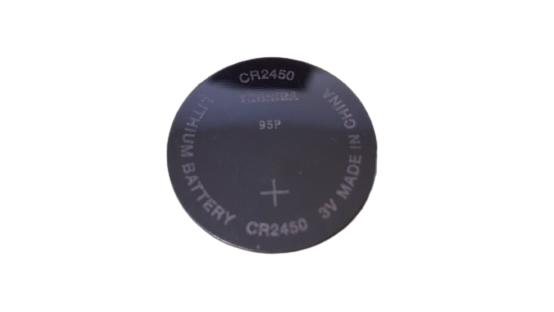
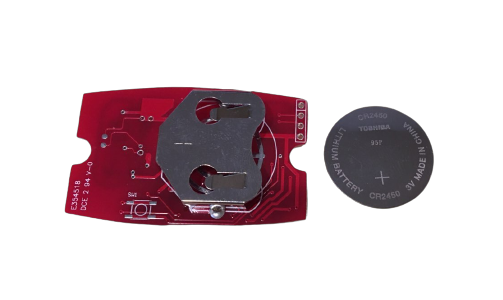
- A new coin battery, typically a CR2450 as shown in the image or a similar model. You can follow this link for a fob battery replacement.
- A coin or a flathead screwdriver.
Prepare Your Workspace
- Choose a clean, flat surface to work on. Having good lighting can help you see what you're doing, especially since you're working with small parts.
Open the Key Fob
- Examine your key fob and locate the small slot or notch on its side. This is where the two halves of the casing meet.
- Insert the coin or the flat edge of the screwdriver into the slot.
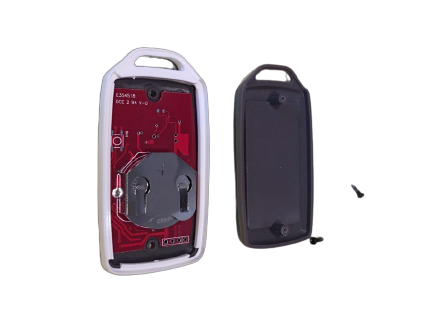
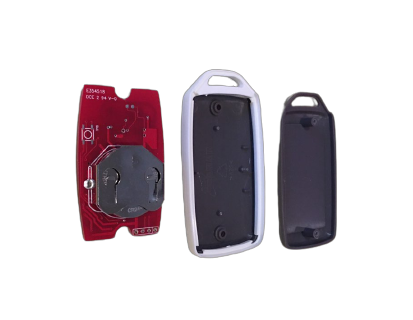
- Gently twist or pry to separate the halves, as shown in the images below. Be careful not to use too much force to avoid damaging the casing.
Remove the Old Battery
- Once open, you'll see the coin battery situated in a small compartment.
- Use your flathead screwdriver to gently push under the battery's edge.
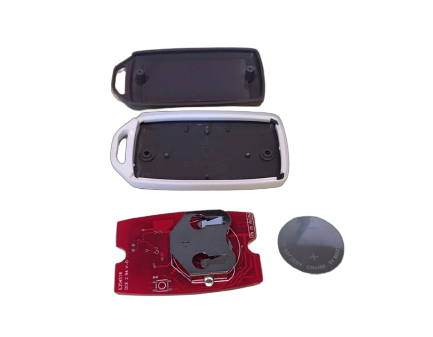
- This should leverage it out of the compartment, as shown in the images below.
Insert the New Battery
- Take your new battery, ensuring it's the correct size and type.
- Place the battery into the compartment. Make sure the positive side (+) is facing up or in the same direction as the old one was, if you can remember.
- Press down gently to seat the battery in place. You should feel it settle into the compartment.
Close the Key Fob
- Align the two halves of the key fob together. They should fit together easily.
- Press along the edges to snap the casing back into place. You'll likely hear a click when it's securely closed.
Test the Key Fob
- With the new battery installed, it's important to test the key fob to ensure it's working correctly.
- Stand within range of your scooter and press the power button on the fob. If the scooter responds as expected, you're good to go.
And there you have it! Just like that, you're back in action, ready to roll. By giving your key fob a fresh battery, you've not only extended its life but ensured your EV Rider TeQno is ready for wherever your journey takes you next.
Explore the EV Rider TeQno and Its Family
Embark on a journey of independence and style with the EV Rider TeQno, your next-level mobility solution! In a world where freedom, functionality, and flair intersect, the TeQno stands out, promising a ride that's not just about getting from A to B, but about embracing life's adventures with confidence and ease. Get the full experience and immerse yourself in the TeQno's world by watching this detailed exploration. From its sleek design to its intuitive functionality, it's not just a ride, it's a lifestyle.
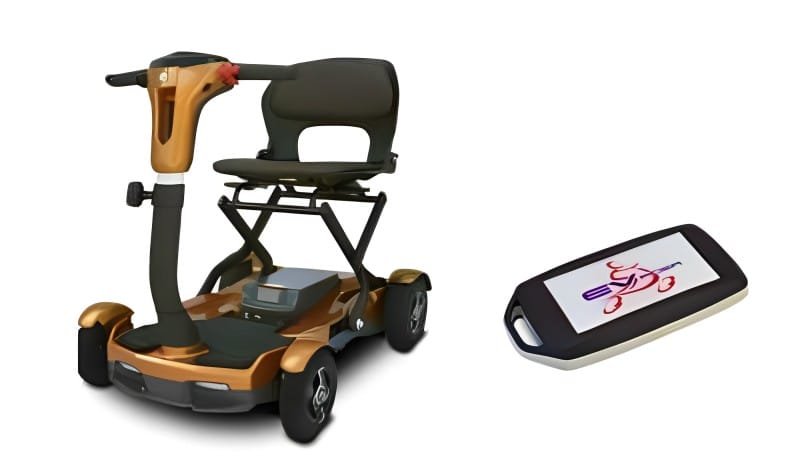
But wait, your journey doesn't end here. Are you curious about what other treasures lie hidden within the world of EV Rider? Perhaps you're considering accessorizing your ride, exploring other models, or even recommending a trusty TeQno to a friend or family member. Well, we've got exciting news. A whole trove of information, updates, and shiny new options await your discovery.
You can cruise on over to EV Rider's official website to dive deeper into the details of your current model, explore new horizons, or find accessories that will make your rides even more luxurious and convenient. Who knows, you might find yourself daydreaming about your next EV Rider companion or picking out the perfect holiday gift for someone special.
This is more than a product, it's a community. It's an ongoing journey of innovation, freedom, and fun. So, don't put on the brakes now, there's so much more to explore. Rev up your curiosity and let it guide you toward endless possibilities.


From daily errands to leisurely park visits, life's moments are made seamless. Each journey is a testament to independence and joy, right from one's doorstep to the world beyond.
If you've enjoyed learning about the features of your EV Rider TeQno, you might appreciate seeing it in operation. There's something quite reassuring about watching the ease with which it functions, affirming your understanding of its use. Click your way to clarity and confidence by following this direct link.
Remember, every journey with your scooter is an extension of your spirit of adventure. So, keep embracing every journey, big or small. You're just revving up for the next great adventure on your horizon. Way to go!
Explore more EV Rider mobility scooters
If you love your TeQno, these EV Rider models are worth a look for travel, daily errands, and longer outdoor rides.


Frequently asked questions
How do I unpair the EV Rider TeQno remote fob?
Move the fob out of the scooter's Bluetooth range, turn on the scooter's power, then press and hold the Mode button on the control panel until the headlight symbol turns off. Bring the fob back in range and press the power button. If the scooter stays off, the fob is unpaired.
How do I pair or connect the EV Rider TeQno remote fob?
With the scooter off, place the fob close to the scooter. Turn on the scooter's power and press the Mode button until the headlight turns on, which signals pairing mode. Keep the fob near the scooter while the devices connect, then press the power button on the fob. If the scooter powers on, pairing was successful.
What battery does the EV Rider TeQno key fob use?
The fob uses a coin battery, typically a CR2450 or a similar model. You can change it with a coin or a flathead screwdriver in a few minutes.
How do I change the battery in the EV Rider TeQno key fob?
Insert a coin or flathead screwdriver into the slot on the side of the fob and gently pry the two halves apart. Lift out the old battery, place the new battery in with the positive side facing the same direction, then snap the casing back together. Test it by pressing the power button within range of the scooter.
What is the Bluetooth range of the EV Rider TeQno remote fob?
The Bluetooth range can extend up to 33 feet, which is about 10 meters.
How should I care for the EV Rider TeQno remote fob?
Replace the batteries at regular intervals or when you notice a decreased range, and avoid exposing the fob to water, extreme temperatures, and direct sunlight.
Sources & references
- EV Rider official website Authority